In short
The signal that matters
- If you believe in AI and still hold back, the fear of breaking the systems your business runs on is a fair reason, and you can solve it.
- The easier the tools get to set up, the more risk you take on, because an agent can reach your real systems before anyone decides what it should touch.
- Give every agent its own user account with the permissions for everything you want it to do and nothing more, because that extra license costs nothing compared to the damage.
- Scope each permission on purpose, so the agent can read the CRM but not delete, draft emails but not send, and only see the folders its job needs.
- Keep a human checking the agent's work for a set period, and only cut back the manual checks after several weeks of everything working as planned, with the guardrails still in place.
"Hey Yasaf, how do I make sure I have the proper guardrails for my AI agents in my AI workforce?"
That's a question several founders asked me last week, and honestly, the way they asked it told me more than the question itself. Two of them were on client calls with me, running different businesses at different stages, and both of them brought it up on their own before I'd said anything about it.
And here's the thing: none of them doubt AI. They already use it, they can see what it does for their capacity, and if anything, they want more of it. What's holding them back is this fear that one wrong setup will damage the systems their whole business runs on. When I asked what that looks like for them, it came down to losing data. One of them put it in a way I keep thinking about. He said that at some point the AI will get confident it understands his system, and once it thinks it understands enough, it will start deleting stuff.
I think that fear is fair. And my guess is that a lot more founders feel it than actually say it out loud.
When the agent pulls the wrong context
You may have seen the story that went around recently, about a founder who had his personal account information and balances shared in the company Slack because an agent pulled the wrong context.
Just sit with that for a second. There was no hacker in that story, and as far as I can tell, nobody on his team meant for it to happen either. The agent could reach his personal information and it could reach the company channel, so it put the two together in a way no person on his team ever would have.
That's really the part I want founders to notice. The agent did what agents do, which is work with whatever it can reach, so the actual problem was how much it could reach in the first place.
Blessing or curse?
If you think back a year or two, connecting an AI agent to your email, your CRM, or your company Slack usually meant hiring someone technical and waiting a few weeks. Today, all you need to do is talk to an agent builder (Grok Bot, Meta Muse, OpenAI Dots), approve with a single push of a button, and the agent is sitting inside your business. So is that easy setup a blessing or a curse? I'd honestly say it's a bit of both.
It's a blessing because founders who could never afford a technical team can now put AI to work, and I'm all for that.
But it's also a curse, because the same ease that lets you connect an agent in an afternoon lets you hand it the keys to everything without really thinking about it. Those setup screens will ask you to approve access, but they won't ask you what this agent should or shouldn't touch in your business, and that's a question only you can answer.
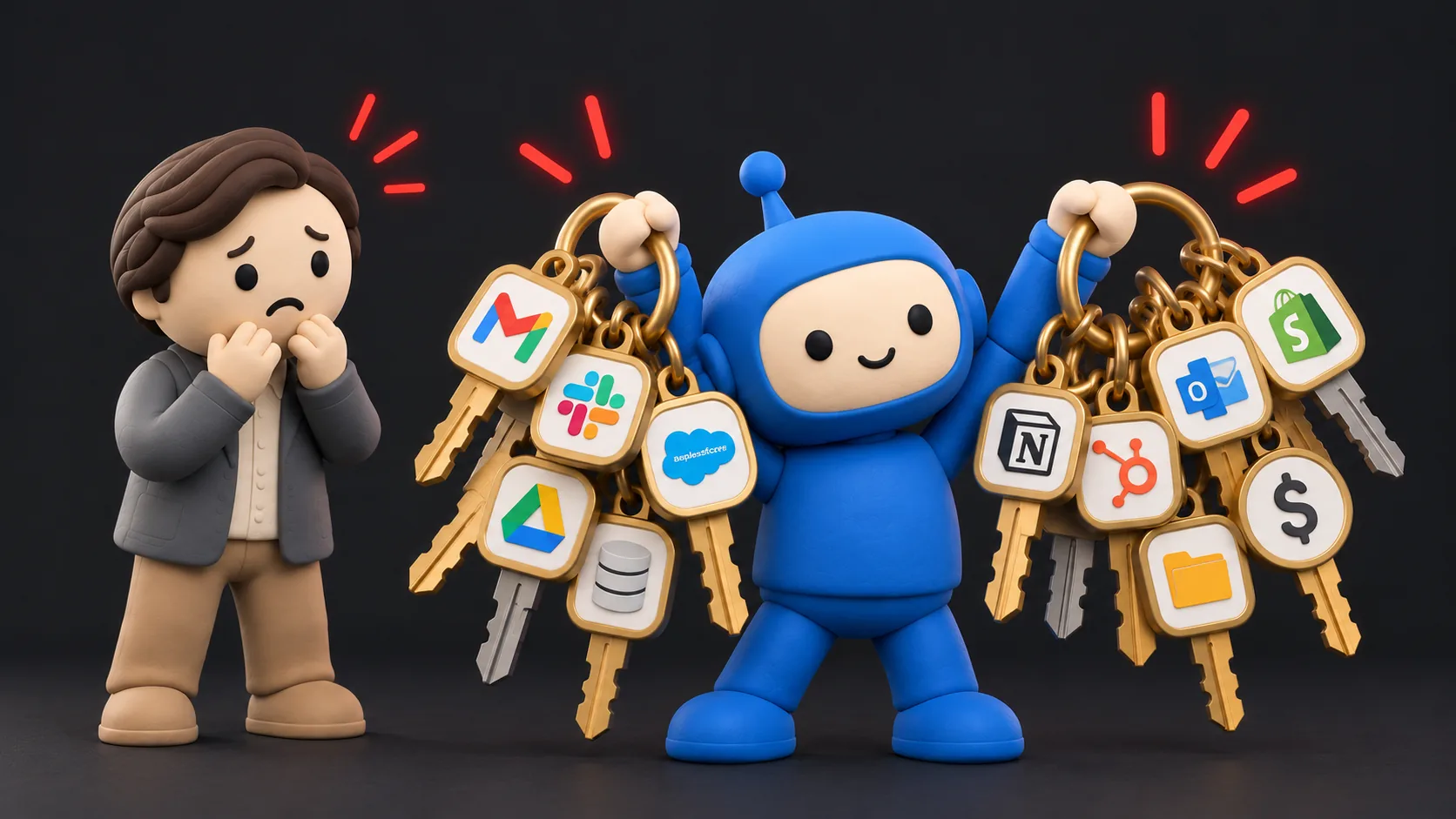
So the easier the tools get, the more business risk you end up taking on, quietly, one connection after another, and what most founders are missing is a safe setup with guardrails that actually fit how their business works.
The first guardrail: give the agent its own account
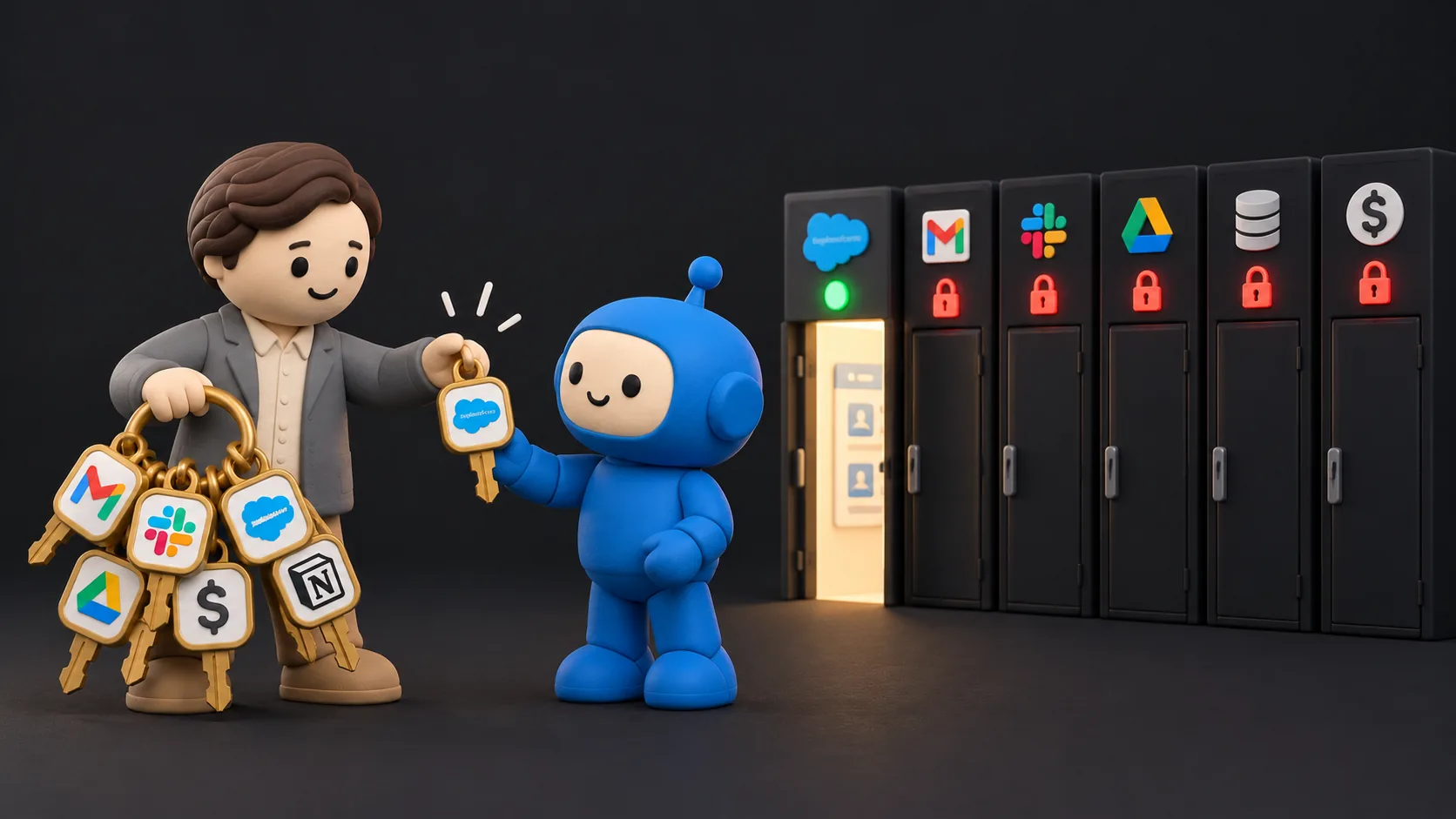
The first thing I put in place with every client is a dedicated user account for the agent. It doesn't log in as you, and it doesn't borrow your admin access. It gets its own seat with the right setup and the right permissions, meaning everything you want it to do and nothing more than that.
I like to compare it to hiring a person, because it's the same logic. When you bring on a new assistant, you wouldn't hand them your personal login on their first day. You'd give them their own account with access to what their job needs, and if it turns out they need more later, you give them more later, after you've seen how they work.
I'd give an agent that same treatment, and honestly a bit more care, because it works a lot faster than any person and it never stops to ask itself, "Wait, should I even be looking at this?"
And yes, that means paying for one more license on your plan. I still tell every founder to do it, because the cost of that extra seat is nothing compared to the cost of losing client data, private information landing in the wrong channel, or a pipeline that suddenly isn't there anymore.
The second guardrail: keep a human in the loop
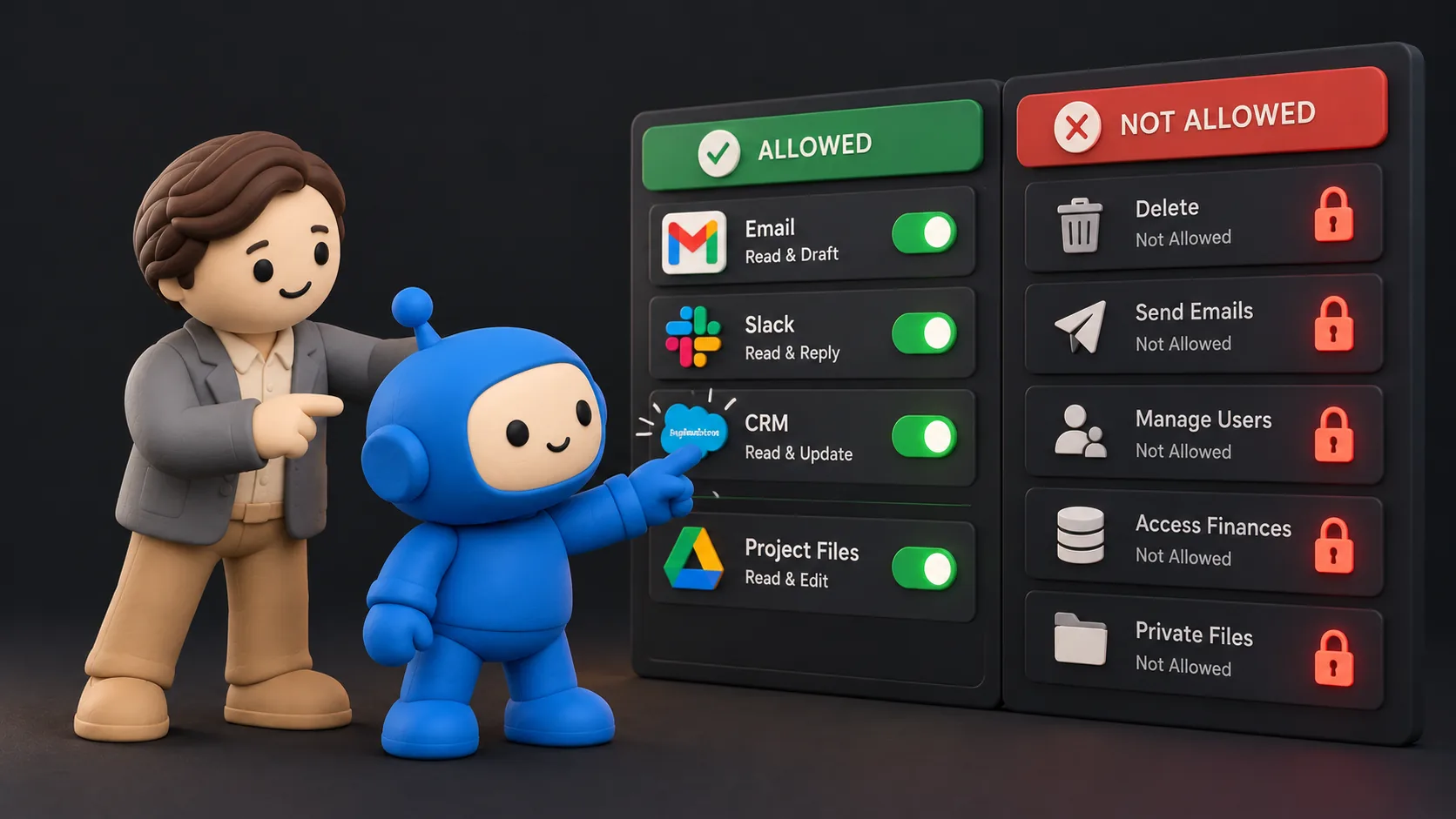
The second thing I put in place goes hand in hand with the first. For a set period, a person on your side checks and validates the agent's work before anything runs fully on its own. It might be you, or it might be someone on your team, but somebody actually looks at what the agent did and says yes, that's right, or no, that's not how we do it here.
This concept is similar to the one I introduced in my post You Do Not Need an AI Chief of Staff. You would not onboard a new employee and just leave them to figure things out on their own. They would have to prove they can be trusted with the keys to the vault first.
When a human is reviewing the work every day, you notice pretty quickly when the agent misreads something, reaches for information it shouldn't need, or handles a client in a way that doesn't sound like you. You catch it while it's still small, and you fix the instructions or the permissions before it turns into a real problem.
So you start the agent with less access than you think it needs, and you watch how it works. Only after several weeks of everything working the way you planned do you release it and cut back on the manual checking, one step at a time, pretty much the way you'd treat someone new on your team. And even then, you keep the guardrails in place. Less checking doesn't mean the agent suddenly gets the keys to everything.
What scoped permissions look like in plain terms
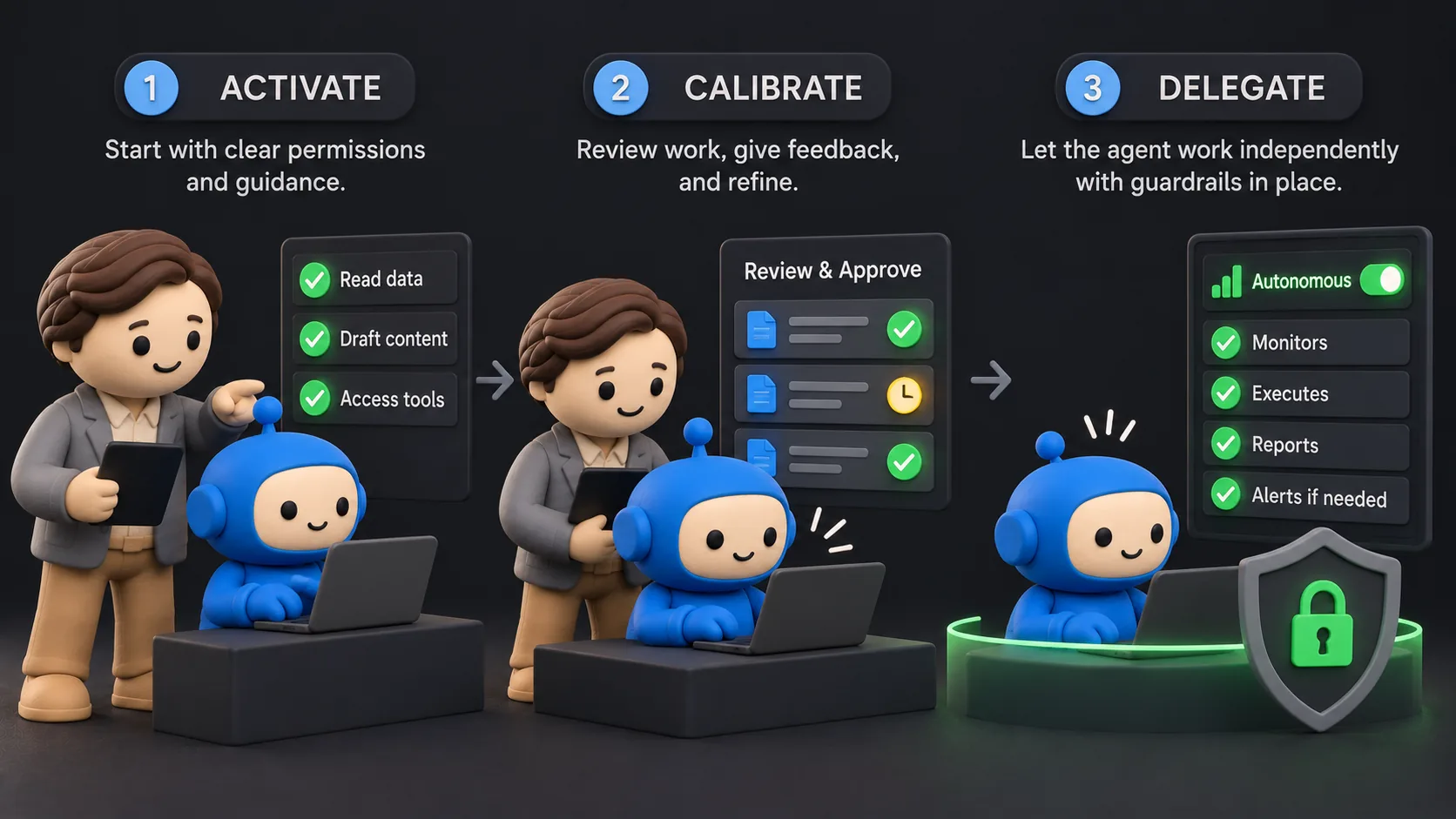
Once the agent has its own account, you get to decide what that account is allowed to do. The exact settings will depend on the tools you use, but the way I'd think about scoping it stays the same.
With the CRM, for example, I'd let the agent read it but not delete anything. It can look up a client, check the history, maybe update a note if you're comfortable with that, but removing records is a job I'd keep with a human.
With email, I'd have it draft and not send. The agent writes the follow-up and leaves it sitting in your drafts, you read it, and you're the one who hits send. After a few weeks, once you trust the quality, you can decide whether some kinds of messages are safe for it to send on its own.
And with folders and channels, I'd only let it see the ones its job actually needs. So if the agent handles client onboarding, it sees the onboarding folder and the onboarding channel, and it simply doesn't see your personal finances, your payroll, or the chat you keep just for the founders.
None of this needs any technical knowledge, because you already think this way about the people on your team. You already decide who gets to see what, who's allowed to change what, and who signs off before something goes out. This is the same conversation, just about an agent.
Guardrails first, then the work
Founders don't need to be convinced that AI works. What they really need to know is whether they can use it without putting their business at risk, and my answer is yes, as long as the guardrails come before the work and a human stays close to it until it has earned more room.
So if you already believe in AI and you've been holding back because of this fear, I don't think you're behind at all. I think you're being careful, which is the right instinct to have, and what you need now is a setup that respects it.
If you want to explore your options for working with me and getting this set up safely in your business, click the button below.